
Most 3 to 4-bedroom homes need somewhere between 40 and 70 double power points. That might sound like a lot at first, but it starts to make sense when you think about how a home is actually used each day.
You charge your phone beside the bed. You plug in a hair dryer in the bathroom. You use the toaster, kettle, coffee machine and air fryer in the kitchen. You need power for TVs, lamps, laptops, vacuum cleaners, gaming consoles, Wi-Fi equipment, outdoor tools and Christmas lights. These are the small details that are easy to overlook during a build or renovation, but they make a big difference once you move in.
There is no fixed number that suits every home. How many power points you need depends on your layout, how many people live there, your usage patterns, and whether you are planning for today or the next 10 to 15 years.
Power points are not just a convenience; they are a core part of your home’s electrical system, and getting the number wrong can create problems that are expensive to fix later. What many builders include is often close to the minimum required by the Australian Standard, and the minimum is rarely enough for how modern families actually live.
Key Factors That Decide How Many Power Points You Need
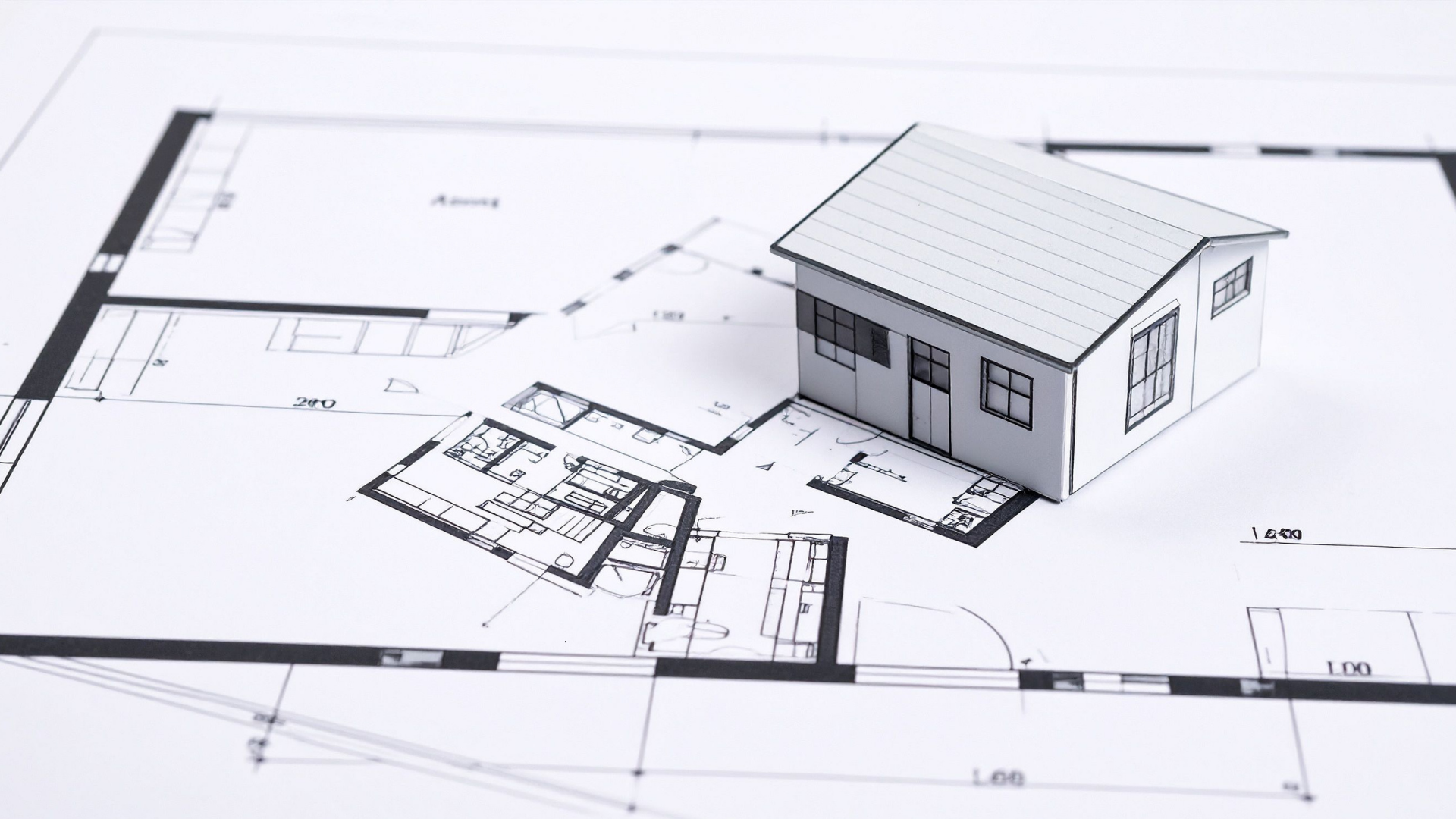
Before going room by room, think through these key factors:
- Number of bedrooms and occupants — more people means multiple devices charging at once
- Open-plan vs. segmented layout — larger spaces need power points on multiple walls
- Home offices — a dedicated workspace changes your electrical demands significantly
- Appliance-heavy areas — kitchens and laundries need dedicated circuits on top of general outlets
- Smart home technology — smart devices, smart home systems, and security systems all need power
- Outdoor spaces — BBQ area, outdoor fridge, outdoor lighting, and garden tools
- Garage or workshop — power tools, battery chargers, a second fridge, possibly an EV
Room-by-Room Power Point Planning Guide
Use this as a starting point for planning power points in your new home. These are practical ranges, not legal minimums. Go through your floor plan with a licensed electrician before lock-in.
Living Room / Family Room — 6 to 8 Power Points
The living room carries the most electrical load of any room. TV, entertainment systems, sound systems, gaming consoles, lamps, phone chargers. Add a vacuum charging dock and seasonal lights, and it adds up fast.
Poor placement is one of the most common mistakes in this room. Don't cluster everything behind the entertainment unit. Well-placed power points across two or three walls mean you're not running extension cords across the floor to reach the couch or the corner lamp. Think about where gaming consoles sit, where sound systems live, and where people actually charge their phones in the evening.
If you're planning built-in joinery or a media wall, your licensed electrician needs to know before the cabinetry goes in.
Kitchen — 8 to 12 Outlets Including Dedicated Circuits
The kitchen has the highest electrical demands of any room in the house, and proper planning makes all the difference.
Dedicated circuits are not the same as general-use power points. Your fridge, dishwasher, oven, and rangehood each need their own dedicated circuits, and those don’t count toward your benchtop outlets.
For general benchtop use, plan for 4 to 6 electrical power points across the bench run. Two more on the island, if you have one, and at least one inside a walk-in pantry. A dedicated charging station for phones and tablets keeps the bench clear and reduces reliance on power boards.
Coffee machines, kettles, toasters, microwaves, air fryers, and stand mixers. Most kitchens run five or six modern appliances at once without much thought.
Master Bedroom — 4 to 6 Power Points
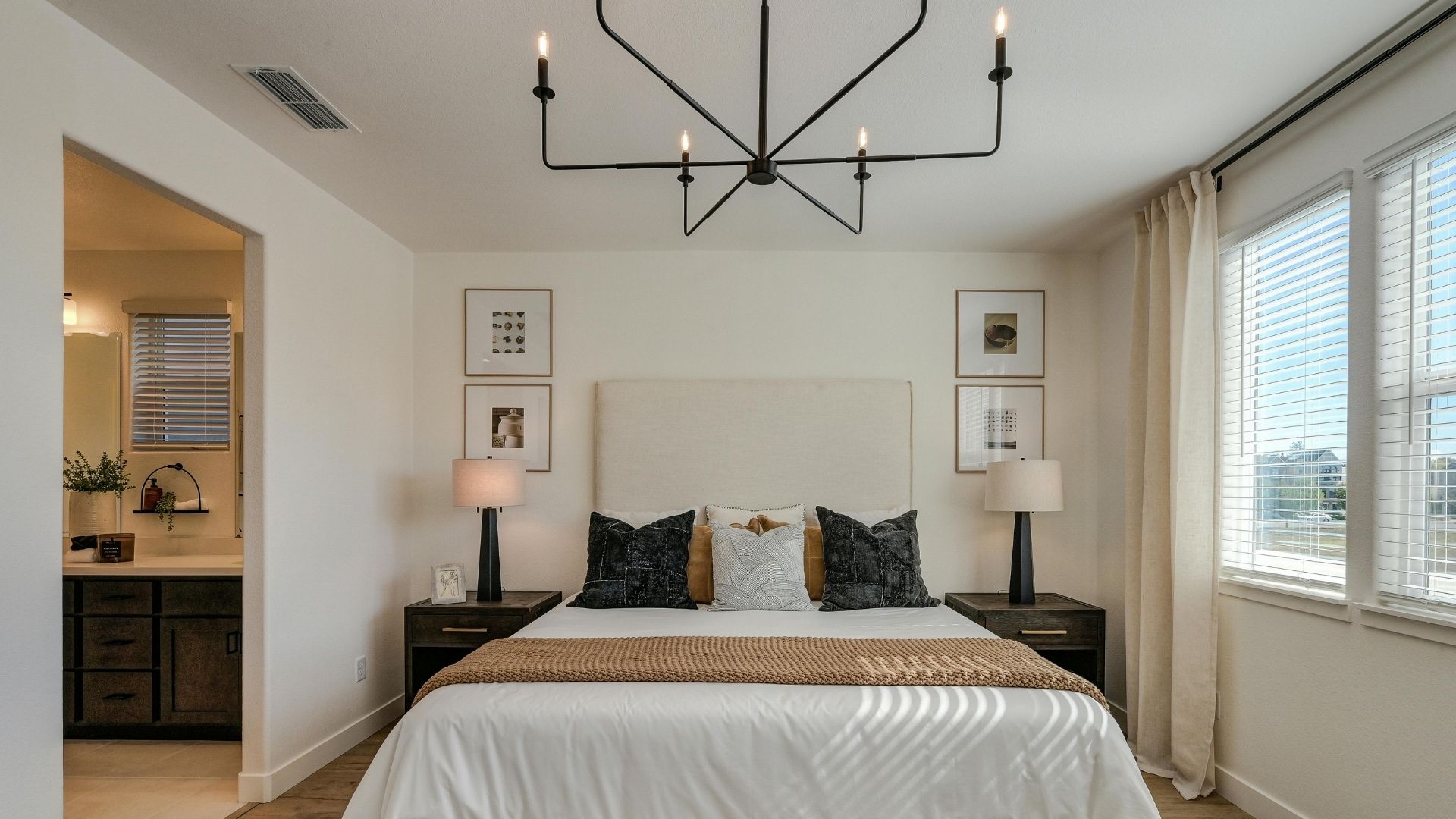
Both sides of the bed need their own outlet. Bedside lamps, phone chargers, alarm clocks. That's two doubles before you've added anything else.
Add outlets for a TV, laptop, electric blankets, or a heater. If the master has a walk-in wardrobe, put one outlet in there too. Hair dryers and straighteners need somewhere to plug in, and the en-suite has placement restrictions covered below.
Spare Bedrooms and Kids’ Rooms — 3 to 4 Power Points
Kids’ rooms become study spaces, gaming setups, and home offices for teenagers faster than most parents expect. Plan for at least 2 outlets on different walls and a third near any likely desk position. Put that desk outlet at bench height, not floor level.
Future-proof these rooms now. Adding more power points after the walls are done is disruptive and costly.
Home Offices — 6 to 8 Power Points
Home offices are among the most in-demand spaces in a modern home. The electrical demands of home offices have grown significantly as more people work remotely full-time.
Treat home offices as small workspaces. Outlets behind the desk for monitors, a laptop dock, a printer, and speakers. A separate outlet for desk lighting. One near the door for a modem or network switch. USB power points are worth adding here to reduce reliance on bulky charging adapters.
Planning power points in home offices around both current and future needs saves costly upgrades later. A standing desk, a second monitor, and a docking station all become normal over time.
Bathrooms and En-suites — 1 to 2 Compliant Outlets
This is one area where power point placement is governed strictly by the Wiring Rules. Outlets must be placed a safe distance from water sources. Wet area zoning means exact positioning is not guesswork; it needs to be confirmed and signed off by a licensed electrician.
Using standard outlets in wet areas without complying with placement rules is one of the more serious electrical safety risks in a new build. Don’t cut corners here.
One outlet near the vanity for a hair dryer or electric toothbrush is typical. Your licensed professional handles the rest.
Laundry — 3 to 4 Power Points
Install the washing machine and dryer on separate circuits where possible. Running both at once on the same circuit can trip circuit breakers. Add outlets for an iron, a stick vacuum charging station, and a spare for utility use.
Overloaded circuits in laundries are a common issue in homes where planning power points was an afterthought, but you can avoid it with proper planning.
If the laundry shares a wall with the garage, ask your electrician to run conduit through while the wall is open. It costs very little during the build and will save you later.
Garage — 4 to 6 Power Points
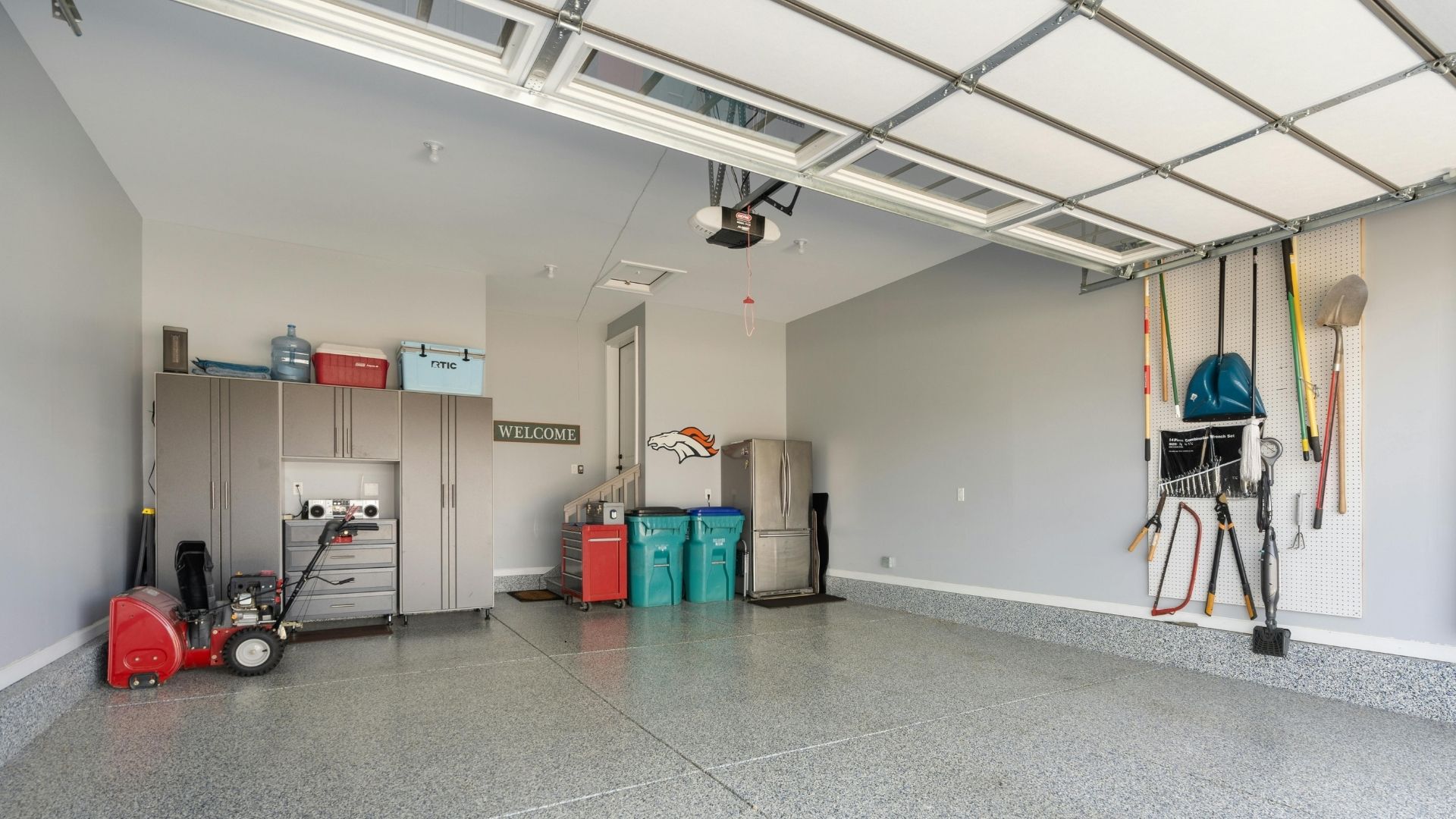
Garages are the most underplanned space in a new home. Garage door motor, power tools, workbench lighting, battery chargers, and a second fridge. It fills up fast, and there’s rarely an easy fix once the walls are done.
Multiple outlets across at least two walls are worth planning for. If an EV is on the cards at any point, mention it to your licensed electrician now. A home EV charger needs a dedicated circuit and specific switchboard capacity. Roughing in the conduit during the build is a fraction of the retrofit cost.
Outdoor Areas — 4 to 6 Weatherproof Power Points
BBQ area, outdoor fridge, outdoor lighting, a pressure washer, garden tools. Most people don’t think about outdoor areas until they’re running extension cords through a window.
Weatherproof power points for outdoor use must have a minimum IP33 rating and be installed at least 300mm above ground level. Two outlets in the main entertaining area, one to two along the side of the house, and one near the front for Christmas lights or garden tools is a reasonable baseline.
Outdoor outlets must be installed correctly; this is not a job for guesswork.
Power Point Planning Guide by Home Size
| Home Size | Approximate Power Points (excluding dedicated circuits) |
| 2-bedroom home | 30 to 40 power points |
| 3-bedroom home | 40 to 55 power points |
| 4-bedroom family home | 55 to 70+ power points |
These are estimates. Your number depends on your floor plan, usage patterns, and how many dedicated circuits your appliances require. A licensed electrician can confirm the right number for your specific build.
Minimum and Practical Are Not the Same Thing
The AS/NZS 3000:2018 Wiring Rules set minimum requirements for new homes. Builders meet those minimums. Inspectors check them. But nobody checks whether you'll have enough power points for how you actually live. Only you can anticipate that with careful, realistic forethought.
A bedroom technically passes with one double power point. A kitchen can pass with very few benchtop outlets. Compliant on paper but frustrating in practice and an expensive retrofit.
Too few outlets lead directly to power boards, extension cords, and overloaded circuits and all three are safety risks. Overloaded power boards and extension cords running across floors are among the most common causes of electrical hazards in the home. Proper planning at the build stage costs far less than dealing with insufficient outlets after handover.
Common Mistakes When Planning Power Points
Common mistakes in power point installation include:
- Outlets on one wall only, forcing extension cords across rooms
- Poor placement behind planned furniture, making outlets unusable
- Underestimating kitchen and home office electrical demands
- No outdoor areas or garage outlets on the plan
- Treating overloaded power boards as a permanent solution
- Not future-proofing for smart home devices, home offices, or an EV
Relying on power boards and extension cords is not adequate power point planning. It’s a sign the home’s electrical setup fell short from the start. Too many devices running off a single circuit through a power board is both a safety hazard and a daily inconvenience.
What NSW Homeowners Need to Know About Electrical Safety
Electrical wiring work in NSW must comply with AS/NZS 3000:2018, also known as the Wiring Rules. These rules require safety switches, or RCDs, for all domestic and residential final sub-circuits. Electrical wiring work must also be carried out by a licensed electrician. That includes power point installation, not just switchboard work.
When the work is complete, your electrician must provide a Certificate of Compliance for Electrical Work, or CCEW. This confirms the electrical work has been tested and complies with the relevant NSW legislation, regulations and Australian Standards. It may also be useful for warranty, insurance, future sales, or compliance records. Ask for it upfront.
Ignoring electrical safety standards in wet areas, outdoor spaces, or by overloading circuits with too many devices on a single circuit creates real safety risks. A licensed electrician ensures your home’s electrical system is safe, compliant, and documented properly.
Is It Worth Adding Extra Power Points During the Build?
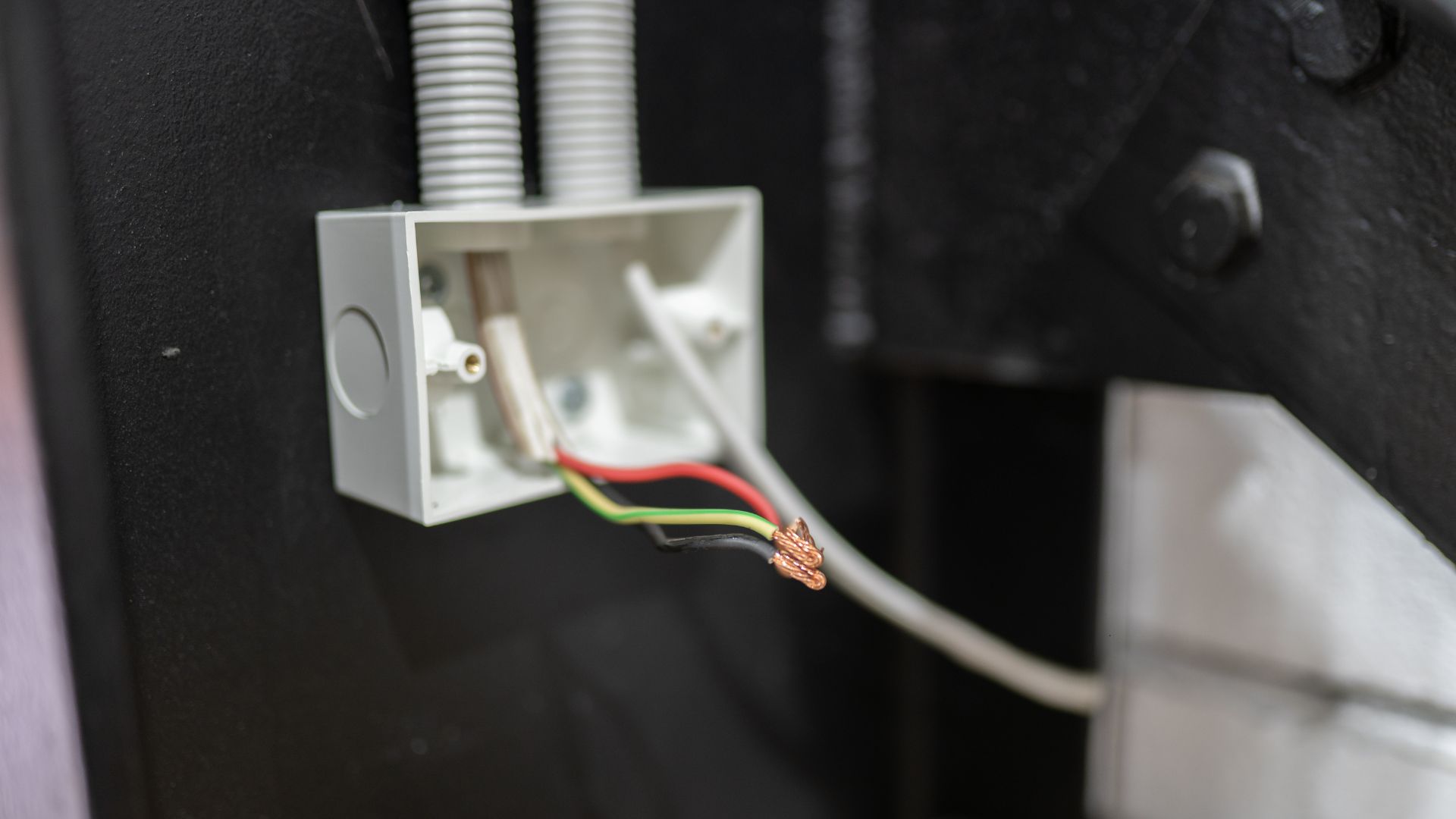
Yes. Every time.
Adding extra outlets during construction is straightforward. Before plastering, a licensed professional can run cable and adjust power point layout with minimal disruption. After lockup, the same work means cutting walls, fishing cable through insulation, and patching plasterboard. The cost difference is significant, and so is the disruption.
If you’re on the fence about an outlet, add it. Extra power points cost far less during a build than after handover.
New Home Power Point Checklist
- Walk through each room with your furniture layout in mind
- List every plug-in appliance per room, including all phone chargers and smart devices
- Identify dedicated circuits separately: fridge, dishwasher, rangehood, dryer, oven
- Think through current use and future needs
- Review wet areas and outdoor spaces with your electrician
- Confirm your power point layout before plastering, not after
Planning Power Points in Your New Wollongong Home?
Getting your power point installation right before the walls go in is one of the smartest decisions you can make during a build. It future-proofs your home’s electrical setup, avoids costly upgrades down the track, and means you won’t be living with extension cords and overloaded power boards from day one.
A good time to plan your power points is before construction starts. Think about your bedroom layout, the furniture and appliances you own, and how each space in the new build will be used. This will help you work out where power points should go and how many you need in each room.
Easther Electrical works with homeowners across Wollongong on new build electrical planning, power point installation, and renovations. Speak with a licensed Wollongong electrician about your power point layout before the build starts.
FAQs
How many power points does a new home need overall? Most new homes need between 30 and 70+ power points depending on size. A 3-bedroom home typically needs 40 to 55, not counting dedicated circuits for fixed appliances.
How many power points should a bedroom have? At least 4 double power points in a master — outlets both sides of the bed for alarm clocks, lamps and phone chargers, plus extras for a TV or desk. Secondary bedrooms need at least 3, ideally 4.
How many power points should I allow for in a kitchen? Plan for 8 to 12 outlets in total, including dedicated circuits. For benchtop use alone, 4 to 6 electrical power points is a practical minimum.
Can I add more power points after the house is built? Yes, but it costs significantly more than planning them into the build. Retrofitting means cutting into finished walls, which adds time, cost, and mess. Adequate power points from the start avoids all of that.
Do bathrooms have rules for power point placement in NSW? Yes. The Wiring Rules govern outlet locations in wet areas. A licensed electrician will ensure placement is compliant and safe.
Is a double power point enough in most rooms? In low-use areas, possibly. But in living rooms, kitchens, home offices, and bedrooms, multiple power points across different walls is the practical standard for modern homes.
Should I install USB power points in a new home? A few USB power points in key spots, beside beds, at the kitchen bench, in home offices, are worth considering. Just don't wire the whole house with them.
If you're running extension cords across the room or relying on a power board to charge everything in sight, you've probably wondered what it would cost just to get a new power point installed.
It's one of the most common electrical jobs we get asked about, and the short answer is between $150 and $450, depending on the type of outlet and the amount of work involved.
We've put together the real costs for Wollongong homes, what affects the price, and a few ways to get better value from your electrician.
What Does Power Point Installation Cost in Wollongong?
These are general estimates based on typical jobs in the Wollongong area. Your actual cost will depend on your home's wiring, wall type, and access. Always get a written quote for your specific job.
| Installation Type | Typical Cost Range | Common Use |
| Standard single power point | $150 to $250 | Bedrooms, living rooms |
| Double power point | $180 to $300 | Kitchens, home offices |
| USB power point (combo) | $200 to $350 | Bedside tables, workstations |
| Outdoor weatherproof power point | $250 to $400+ | Alfresco areas, gardens |
| Relocated/moved power point | $200 to $350 | Renovations, layout changes |
| Replacement of existing outlet | $100 to $150 | Worn or damaged outlets |
| Quad power point | $180 to $300 | Home offices, media rooms |
What Affects the Cost to Install a Power Point?
Your Wall Type and Location
This is often where costs can vary the most. Fishing cable through a weatherboard wall cavity in a Wollongong bungalow is faster and cheaper than cutting into a brick wall in an older Figtree home. If the power point needs to go into concrete or a spot that's hard to reach, there will generally be a cost for extra labour time and materials.
If you need a power point installed higher up, say behind a wall-mounted TV or above a kitchen benchtop, that takes more work than a standard height outlet. The same applies to multi-storey homes, where wiring needs to run between floors.
Distance from Your Switchboard

In most cases, your electrician will connect your new power point to an existing circuit by tapping into nearby wiring. They don't always need to run cable all the way back to the switchboard. The cost of cabling really depends on how far the nearest suitable circuit is from where you want the new outlet.
It gets more expensive when your existing circuits are already at capacity. In that case, a new circuit breaker and a dedicated run back to the switchboard may be needed.
This is pretty common in older Illawarra homes where the electrical system was built for far fewer outlets than we use today. Some still have ceramic fuses that blow regularly under modern loads, and switchboards with no room left for new circuits. If that sounds like your place, your electrician may suggest rewiring or a new switchboard before adding more power points.
Call Out Fees and Labour Time
Many electricians charge a call-out or service fee in addition to the installation cost. This covers travel, vehicle costs, and the initial assessment. In Wollongong, call-out fees generally range from $70 to $150, though this varies by business. Some electricians roll the call-out fee into the total job cost, so it's always worth asking how they structure their pricing.
Hourly rates for power point installation in the Wollongong area typically range from $80 to $160, depending on the electrician's experience and the complexity of the job. A straightforward single power point might take 30 minutes to an hour, whereas a more complex job with new wiring or difficult access could take up to two hours.
After-hours, weekend, and emergency rates will be higher. If it's not urgent, booking during standard business hours on a weekday will save you money.
Power Point Installation Cost Breakdown
So, what are you actually paying for when you get a power point installed? Here's a rough breakdown, though the exact figures will depend on the job.
| Cost Component | What It Covers | Typical Range |
| Call out / service fee | Travel, vehicle costs, initial assessment | $70 to $150 |
| Labour | Installation, testing, and cleanup | $80 to $130 per hour |
| Power point outlet | The outlet itself | $15 to $80 |
| Cabling and wiring | Cable run from existing circuit | $20 to $60 |
| Mounting box / bracket | Wall mounting hardware | $10 to $25 |
| Wall patching | If walls need repair after installation | $15 to $30 |
| Safety switch (if needed) | New RCD installation | $50 to $150 |
One thing to look for in any quote is the CCEW. That's the Certificate of Compliance for Electrical Work, and in NSW, your electrician is legally required to submit it within 7 days of finishing the job. It proves the work meets Australian Standards and gives you a record for insurance and warranty purposes. If an electrician doesn't mention it, it's worth asking.
If your home needs broader electrical work, such as a switchboard upgrade or new wiring, that cost is on top of the standard power point installation.
Different Types of Power Points
| Type | What It Is | When You'd Use It |
| Standard (single or double) | Basic white plates, no frills. Most people go with double outlets since the price difference from a single is small. | Bedrooms, living rooms, offices. What most electricians will quote you for, unless you ask for something different. |
| Quad power point | Four outlets in one plate. Means you won't need a power board to plug everything in. | Home offices, media rooms, anywhere with lots of devices. |
| USB power outlet | Built-in USB ports let you charge devices directly from the wall without an adapter. | Bedside tables, workstations, kitchen benchtops. |
| Outdoor weatherproof | IP-rated enclosures with proper sealing. In coastal suburbs like Thirroul, Woonona, or Bulli, your electrician should be using marine-grade fittings. Salt spray eats through standard hardware. | Alfresco areas, garden sheds, pool equipment. |
| Dedicated appliance circuit | Not a power point as such. A dedicated circuit from the switchboard for high-draw appliances. Needs new wiring and its own circuit breaker. | Ovens, air conditioning, hot water systems, security systems, and LED downlights. |
| Smart power point | App control, timers, remote switching, energy monitoring. Most expensive option and installation takes longer. | Specific rooms where you want remote control or want to track power usage. |
How to Save Money on Power Point Installation
Bundle Jobs Together
If you need multiple outlets installed, getting them done in a single visit means you only pay one call-out fee. For example, if one power point costs $200 installed, three in the same visit might come to $450 to $500 total rather than $600.
Get Quotes From Two or More Electricians
Compare at least three quotes from different electricians, and make sure you're comparing like-for-like, including materials, labour, and whether the CCEW is included.
Plan Installations During Renovations
If walls are already open, there's no fishing cable through closed cavities, and wall patching is already part of the renovation budget. This is the cheapest time to install power points, so plan carefully for how many outlets you'll need and where they should go.
Choose Standard Products For Non-Visible Locations
You don't need a premium designer outlet behind your couch. Save the nicer finishes for visible spots like kitchen splashbacks and living areas.
Have Power Points Ready
If you've already purchased the outlets yourself, some electricians will install them for a reduced rate since they only need to supply labour and basic materials. Check with your electrician first, though, because some prefer to supply their own.
Book During Quieter Periods
Avoid peak renovation season (spring and early summer) if you can. Electricians are busier and less likely to offer competitive pricing when demand is high.
How to Tell if You're Getting a Fair Quote
Not all quotes are equal. A price that looks too good to be true usually is.
Quotes significantly under market rate often mean the person isn't licensed, isn't insured, or plans to cut corners. If someone offers to do electrical work for cash at a steep discount, it is best to walk away.
A good electrician will give you a written quote upfront that itemises labour, materials, and the service fee. They'll tell you how much the total will cost and how long it will take before they start.
Always check that your electrician has the right licence and insurance. Ask for their NSW electrical licence number. They should also offer a workmanship guarantee. If they don't mention any of this, that should be a warning sign.
Why You Can't DIY Power Point Installation in NSW

In NSW, all electrical wiring work must be done by a licensed electrician. That includes power points. There's no grey area here and no exceptions for "easy" jobs.
Beyond the legal side, it's genuinely dangerous. Incorrect wiring can cause electric shocks, fires, and even death. We've been called out to fix dodgy DIY jobs more times than we'd like, and the damage is always worse than what the original job would have cost.
Your insurance is also at stake. If you do your own electrical work and something goes wrong, your insurer can refuse the claim. A house fire caused by unlicensed work could leave you with nothing.
A qualified electrician won't just install your power point, they'll check whether your home's electrical system can actually handle the extra load. If your wiring is outdated or your switchboard is at capacity, they'll let you know before adding anything new to ensure everything is safe.
Get an Accurate Quote for Your Wollongong Home
Every home is different, and the best way to get an accurate quote for power point installation is to have a licensed electrician assess your property. At Easther Electrical, we provide transparent, itemised quotes with no hidden costs. Whether you need one new power point or a whole-home upgrade, our fully licensed team has been serving Wollongong and the Illawarra for years.
Contact Easther Electrical for a free quote for a power point installation or call us on 02 4256 5899.
Frequently Asked Questions
How long does it take to install a power point?
A standard job takes between 20 minutes and an hour. More complex installations with new wiring or difficult access can take up to two hours.
How much does it cost to install an outdoor power point in Wollongong?
Between $250 and $400+. The higher cost covers weatherproof enclosures and marine-grade fittings. If the location needs a new cable run from the switchboard, expect the upper end.
Is it cheaper to install multiple power points at once?
Yes. You pay one call-out fee instead of several, and the electrician can work more efficiently across the job.
What's included in a power point installation quote?
It should include the call-out fee, labour, all materials, and the CCEW. Always ask what's included and what might be extra before the job starts.
Can I install a power point myself in NSW?
No. A licensed electrician must do all electrical wiring work. Doing it yourself is illegal and can void your home insurance.
Do I need a new switchboard to add power points?
Not always. If your switchboard has spare capacity, your electrician can connect to an existing circuit. But if it's old, uses ceramic fuses, or is at full capacity, they may recommend an upgrade first.
Chances are you're reading this because your wall socket has suddenly stopped working and you're wondering whether it’s a quick DIY fix or something more serious. You're not alone, because power outlet issues are one of the most common household electrical problems we get callouts for, and while some can be solved with a simple check, others may require a licensed electrician.
Let’s look at the most likely causes, see if you can fix it yourself, and when it’s time to call in the pros.
First Things First: Is It Just That One Socket?
The first thing to do is check whether the problem is isolated. Try plugging another device into the same socket. If it doesn’t work, test that device in a nearby outlet to see if that outlet is not working. If it works elsewhere, chances are the issue is with the original socket, not the appliance.
We know this might sound obvious, and perhaps you've already taken this step, but you'd be amazed at how many people don't. This simple test helps you rule out whether it’s a faulty device, a single outlet problem, or something more widespread like a circuit issue.
Common Reasons a Wall Socket Stops Working
Now, let’s dive into the most common reasons your wall socket may have stopped working, and what you can do about each one.
Tripped Circuit Breaker

You've likely heard of this before, and it's one of the easiest issues to check.
Head to your switchboard and see if any breakers have flipped to the OFF position on the electrical panel. If so, flick it back on. If the breaker trips again immediately, avoid using that socket and contact an electrician.
Blown Fuse (in older homes)
This is mainly for older homes that still use ceramic fuses rather than modern breakers. If that sounds like you, you’ll need to check if the fuse has blown in the fuse box. Look for broken fuse wire or discolouration. Replacing a fuse can be a DIY job if you're confident, but we find most customers are nervous doing this. Plus, upgrading to a circuit breaker system is a safer long-term solution.
Faulty Appliance
We know you've already tested this, but it's worth repeating, because quite often it’s not the socket but what’s plugged into it. A faulty appliance can trip safety switches or breakers. Unplug everything and test the socket with a known working device. If the outlet now works, your appliance may be the culprit.
Loose Wiring or Damaged Socket
Sometimes you can see the problem already. If the socket feels loose, sparks, or has visible burn marks, it could be due to internal electrical wiring issues. This is not a DIY fix. Turn off the power to the outlet at the switchboard to prevent electrical fires and call a professional electrician immediately.
GFCI or Safety Switch Activation
In Australia, safety switches (also known as RCDs or GFCI outlets) protect against electric shock. If one trips, it cuts power to specific outlets. Check your switchboard for a tripped safety switch and reset it. If it keeps tripping, it could be due to a faulty appliance or wiring fault.
Overloaded Powerboard or Circuit

Using multiple high-powered devices on a single powerboard or circuit can overload it. You've probably heard those buzzing sounds or felt warm plugs. These are telltale signs that the power socket is struggling to keep up. Spread out your appliances and avoid piggybacking powerboards to reduce risk.
Worn-Out or Damaged Socket
Sockets wear out over time, especially in older homes, and you can usually tell. Look for cracks and discolouration. A worn socket can be a fire risk, so we suggest replacing it with the help of a qualified electrician. If you suspect other sockets are old but not yet faulty, it could be cheaper in the long run just to have them all replaced in the one callout.
Poor Installation
Sometimes we get called out to fix dodgy electrical work left behind by previous sparkies. Unlicensed electricians who complete rushed and non-compliant installations can cause problems that only surface months—or even years—later. Loose connections, mixed-up wiring, or improperly secured outlets can all lead to sockets that stop working or become unsafe.
How to Troubleshoot Safely & Restore Power
Some of this may sound familiar, but when it comes to electrical safety, it's worth recapping. There are a few simple checks you can do before calling in the pros:
- Test the socket with a known working appliance to rule out a faulty device.
- Try nearby outlets. If they’re also dead, the issue may be bigger than a single socket.
- Unplug other devices from the same powerboard or circuit to avoid overload.
- Check your switchboard for any tripped circuit breakers or safety switches.
But anything beyond these basic steps, it's best to leave it to a licensed electrician. While a lot of work around the house can be DIY, when you're dealing with electrical work, it isn’t just dangerous—it’s illegal in Australia.
There's a reason electricians go through years of training before becoming fully licensed. If the problem persists or you're unsure, book a professional inspection.
How to Prevent Future Socket Issues
To keep your power points in good shape, remember to avoid overloading them with too many devices on power boards, especially high-wattage appliances like TVs and lamps. Consider using surge protectors to guard against voltage spikes or a ground fault circuit interrupter. However, the best thing you can do is book regular electrical safety checks, especially in older homes. A quality electrician spots potential issues early, keeping your system safe and compliant.
When to Call a Licensed Electrician

If you've tried DIY and your socket issues persist, or show signs like burning smells, sparking, or heat, it's time to call in the pros. DIY electrical system fixes beyond basic checks can be dangerous, and it's illegal to carry out electrical work without a licence. For safe, compliant repairs or new power point installations, and peace of mind, speak with a licensed electrician from Easther Electrical.
FAQs
Why does only one socket stop working?
It’s often due to a tripped breaker, faulty wiring, or an issue isolated to that specific outlet.
Can I fix a faulty socket myself?
No, unless you want to get an electrical shock. Licensed electricians are legally required for any electrical repairs in Australia, including faulty wall sockets.
How many appliances can run off one electrical outlet?
It depends on the total power draw, but overloading with multiple heaters or other high-wattage appliances can cause overheating or trips.
Can one bad outlet cause the others not to work?
Yes, especially if the socket not working is on the same circuit or there's a wiring fault upstream.